


Aron Kantor
Founder

Share the article
Enjoy this article?
Share it with someone who needs better focus.


TL;DR
- Choose Opal if: You want a polished, premium screen time app with flexible rules and strict blocking that’s difficult to bypass.
- Skip Opal if: You want an affordable focus app with deeper insights into why you get distracted and how to improve your focus.
- Bottom line: Opal impressed me with its polished design, strict blocking, and flexible rules, but the high price, battery drain, and limited focus features made it difficult for me to justify paying for it.
I had high expectations before starting my Opal app review, especially after seeing the most polished UIs I’ve tested in a screen-time app.
At first, everything felt premium—from the blocking experience to unlocking gems.
But the longer I used Opal, the more my initial excitement faded, and I started wondering: what am I actually paying this much for?
What Opal actually is
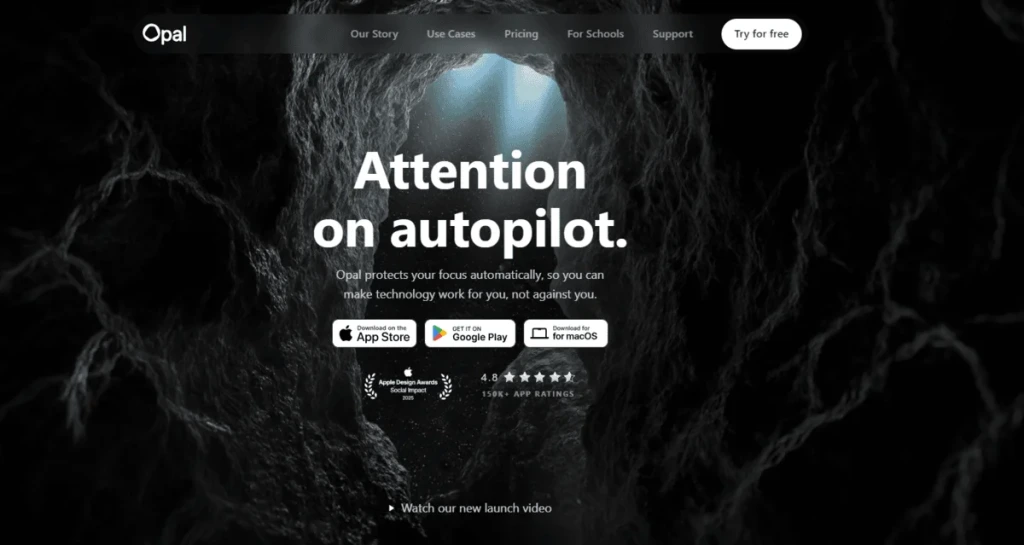
Opal is a screen time control app for iOS and Android devices launched in 2020. Since then, it has grown into one of the most popular apps for blocking distractions, reducing screen time, and staying focused.
As of 2026, Opal has 150,000+ app ratings and more than 1 million daily active users, making it one of the biggest names in the screen time app space.
The Best Parts of Opal
No time to waste, here are the best parts of Opal I found:
| What Opal Does Best | My Experience |
| Polished UI | After testing 10+ focus and screen time apps, I found Opal’s interface to be the most polished. The interactive elements make the app feel premium, and visually, the design is a 10/10 for me. |
| Deep focus mode | Deep Focus Mode is genuinely difficult to bypass, making Opal a strong choice for people who struggle with phone addiction or repeatedly override their own blocking rules. |
| Rules | Opal offers a wide range of rules, from daily time limits to limits on how often you can open an app. This gives you plenty of flexibility to reduce screen time and build healthier digital habits. |
| Onboarding process | As the founder of a competing focus app, Opal’s onboarding genuinely impressed me. It kept me engaged from start to finish and is one of the best onboarding experiences I’ve seen in this category. |
The Biggest Drawbacks of Opal
Despite the polished experience, a few things made Opal much harder for me to recommend at its current price.
| Opal’s Biggest Drawbacks | What You Should Know |
| Hard-to-Justify Pricing | Opal’s pricing starts at $99.99 billed annually. If you choose the monthly plan and keep it for a year, you’ll end up paying around $239, making Opal one of the most expensive screen time apps I’ve tested. |
| Slow performance sometimes | I occasionally found Opal slow, and I also noticed higher battery usage while using it. This may be related to its highly visual interface and background activity, but for an app that runs throughout the day, it’s something worth considering. |
| Uses mostly iPhone default app that is free | Many of Opal’s blocking features rely on Apple’s built-in Screen Time framework, which makes the premium price harder for me to justify especially when iPhone already these functions for free. |
| Doesn’t address the root problem | Opal is excellent at restricting access to distracting apps, but it doesn’t really help you understand why you doomscroll or struggle to focus in the first place. It says you scrolled today 11% less, but will never know the actual reason behind it. I missed guidance that could help me rely less on strict blocking (as well as Opal) over time. |
| Limited focus features | For me, Opal feels more like a screen time app than a complete focus app. It lacks deeper focus insights, custom tags like you get with Floviu or Forest, and other tools that help you understand and improve how you focus. |
What’s Using Opal’s Screen Blocking Like?
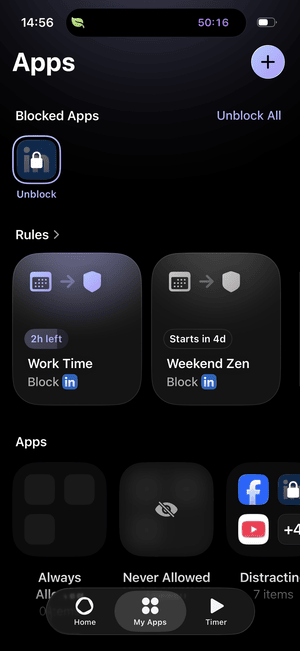
Opal is a premium app, and I noticed it from the first second. The learning curve is relatively fast, and pre-made app-blocking rules can help you get started quickly.
After a week, it delivered stable performance and helped me reduce screen time.

My iPhone 15 regularly dropped from 100% to around 15% by 8 PM while I was testing Opal. After deleting the app, my battery life returned to normal, so this is something I’d pay attention.
One major thing I noticed after a few days is that my battery dropped every day, even though I barely used my phone.
First, I thought it was an issue with my phone but after I deleted Opal, everything went back to normal. So, when I searched online, I realized it’s a common issue with Opal: it drains your battery pretty fast.
This was frustrating because the app has to run all day in the background, so there is no way to avoid it.
I also found the app slow at times, especially when checking available gems.
On the other hand, while many people complained about bugs, I didn’t run into any on my iPhone when testing Opal.
To summarize, Opal did its job well for me, and beside the battery and performance issues I mentioned, the app blocking worked smoothly for me although I wasn’t satified with the features completely, but more on this below.
Opal Key Features: What You Actually Get
Here are the key features and my experience with what works & where Opal didn’t perform.
Rules
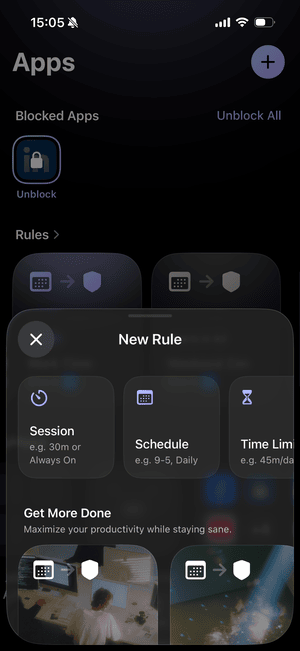
With rules, you can customize when Opal steps into your day. You can set rules based on sessions, schedule, time limit, and open limit.
You also get templates you can quickly adopt to boost productivity and block distracting apps while sleeping or relaxing.
What works: With the templates, you can quickly block out time for your activities and make sure you won’t doomscroll in that period. The different block types also let you customize the blocking experience.
Where it struggles: Feature-wise, everything worked well, especially the different rule types. However, the templates don’t add much value beyond helping you set up blocking hours faster, since they just mix the timeframe, days, and selected apps.
My rating: A

Don’t start by creating lots of custom rules. Try one of Opal’s templates first, then adjust the blocked apps and schedule around your actual routine. It’s much faster than building everything from scratch.
Blocking apps
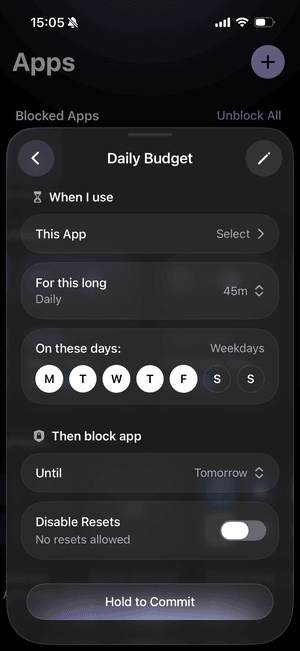
Opal blocks apps and websites as well. It’s great that you can add apps that Opal will never block, and you can decide which apps to include in the distracting apps category.
While Opal mostly relies on iPhone’s built-in functions, it still makes the process easier for users.
What I like: If you choose the hard block, Opal makes it challenging to bypass, which is a good thing for people with social media addiction.
What’s missing: For me, Opal worked smoothly in the background. Nonetheless, when I did my homework and checked what people say about it on forums like Reddit, I realized many people complained about bugs. Sometimes the blocking feature simply doesn’t work, and they can open everything like normal unless they manually open theOpal again, and only then does the block start again.
My verdict: B+
Timer
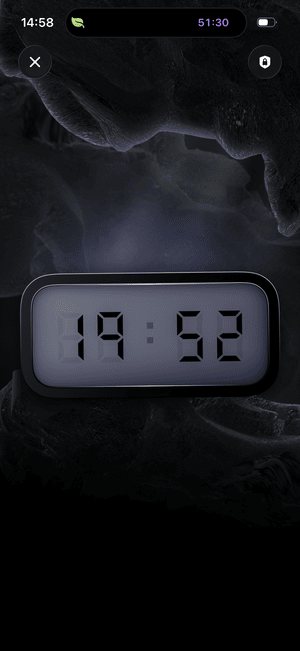
Opal offers a basic timer. When you get started,, you can select the apps you want to block and how long you want to focus.
What shines: Simplicity. You can start the timer with one tap, and it blocks distracting apps.
What didn’t work for me: First, I don’t understand why I can’t select and change soundscapes inside focus sessions. If you start the wrong focus session without a soundscape, you have to wait until it finishes and start a new one with a soundscape. Also, I can’t change the soundscapes during sessions. I missed the focus app features as well, like tags, but since Opal is primarily a screen time app, we can overlook this.
My impression: D-
Meditations & Sleep stories
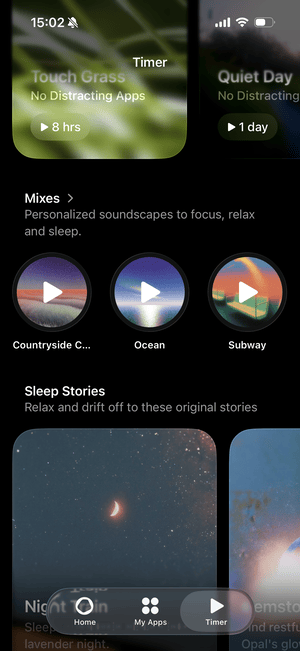
Opal has some guided meditations and sleep stories for relaxing. Personally, this worked better than I expected!
What impressed me: These are small features, but they really helped me be more mindful day-to-day. I used its body scan numerous times, designed to release tension from head to toe, and noticed a positive impact.
What frustrated me: No complaints here – everything worked as I expected it.
My take on these features: A+
Soundscapes
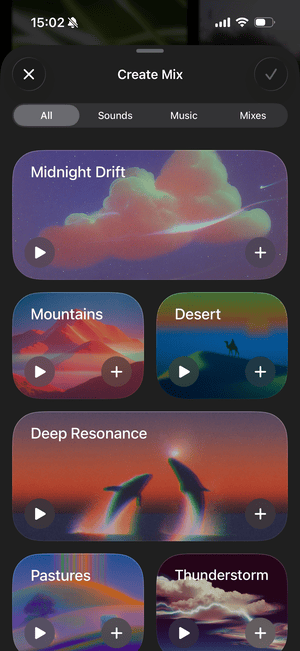
Opal offers a large gallery of soundscapes and music; however, most require a paid plan, as the free tier includes only basic soundscapes.
What I enjoyed about soundscapes: I found the right music or soundscape for every situation I wanted. From city rain to brown noise, it has a great collection of soundscapes.
What started to bother me: As mentioned above, I can’t change sounds during focus sessions, which really annoyed me during testing. Also, with the free plan, you can access only the basic soundscapes. Other than that, this feature worked fine.
My score for this feature: B
Opal Score
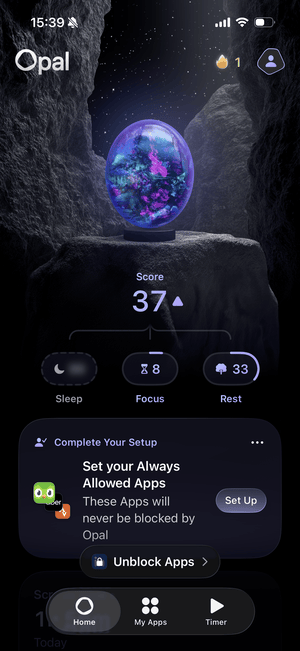
If you click on your Opal score, you will get detailed reports about your screen time. The Opal score includes your sleep, rest, and focus scores and measures your well-being.
Where it worked: It breaks down your screen time habits well. You will see your first pickup, last scroll, sleep and screen time, and distracting apps. This helped me analyze my daily screen time and gave me an exact number of how much time I spend scrolling.
Where it fell short: I genuinely enjoyed Opal’s reports, but they didn’t answer the most important question: how to improve and what to focus on. That said, I did not get closer to the real problem with my scrolling.
My grade: B-
Opal became very good at telling me how much I was scrolling, but not why I was doing it. I knew my screen time, first pickup, last scroll, and most distracting apps—but I still didn’t know what actually triggered those habits.
Opal Pricing 2026
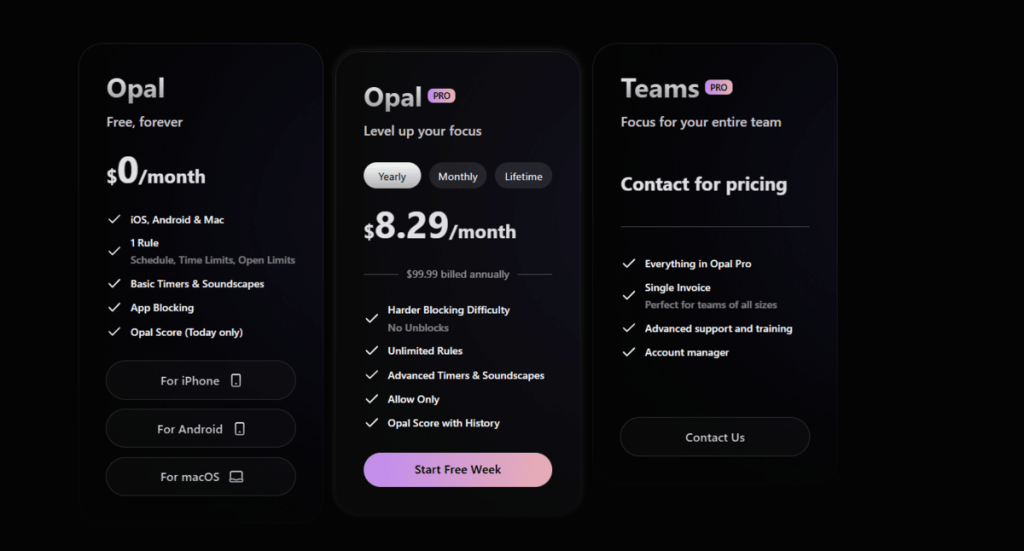
Opal is probably the most expensive app blocker in Apple’s App Store and Google Play Store. The yearly plan is $99.99, the monthly plan is $19.99, and the lifetime deal is $399.
On average, screen time apps cost around $30 to $70 yearly, so Opal’s pricing puts it in the premium category.
At $19.99/month, keeping Opal for a full year would cost $239, compared with $99.99 for the annual plan. If you decide to upgrade, the yearly option makes significantly more sense.
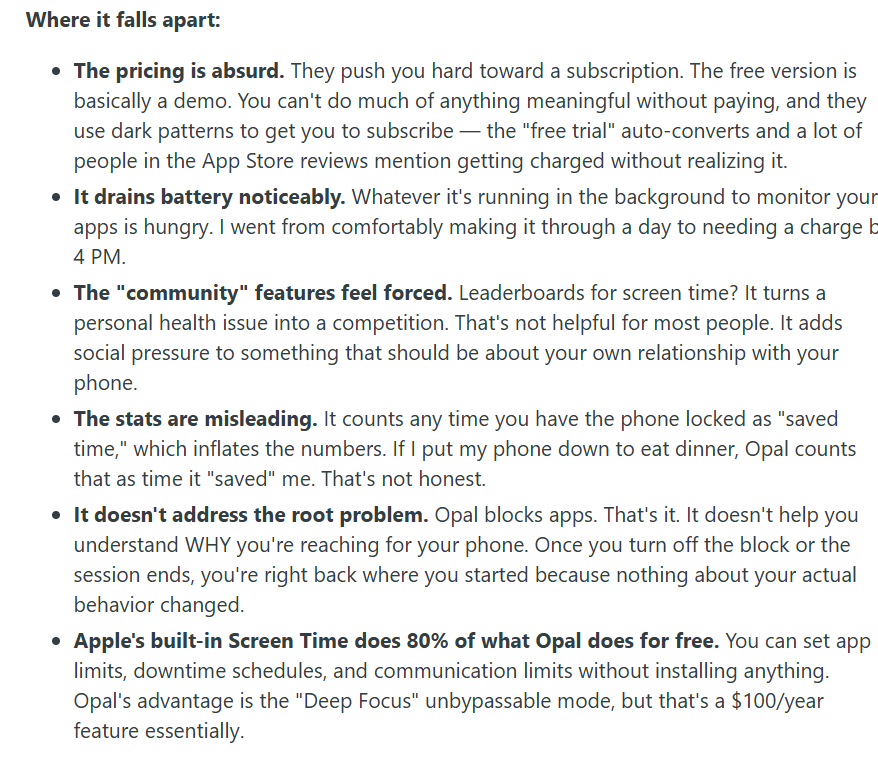
As Dangerous-Project874 mentioned on this Reddit thread, Opal’s pricing plan is expensive. He also mentions they use dark patterns to get you subscribed, but I haven’t experienced that, though the limited free version is true.
Who Should Use Opal?
Ideal: You want a premium screen time app with polished design, flexible rules, and strict blocking that’s difficult to bypass.
Consider carefully: You mainly want to reduce screen time, but you’re unsure what options you have and look for a reasonable price.
Avoid: You want a complete focus app that helps you understand why you get distracted, when you focus best, and how to build better focus habits instead of just blocking apps.
What Do Real Everyday Users Think of Opal app?
Opal scores high across the App Store & Play Store, with common issues:
| Platform | Rating | Based On | Common Complaints |
|---|---|---|---|
| App Store | 4.7/5 | 87,000+ reviews | Bugs, too expensive |
| Play Store | 4/5 | 8,000+ reviews | Confusing interface, blocking doesn’t work properly |
| – | Reddit threads | Expensive |
Top Opal alternatives
Here are my best Opal alternatives if you need a more budget-friendly solution.
| Screen time app | Choose if you need | Starting price (annual plan) |
| Floviu | A focus app to understand how to focus better | Free includes app blocking, yearly plan is $69.99 |
| one sec | A solution to break automatic app-opening habits | $19.99 per year |
| Freedom | Strict website blocking across multiple devices. | $19.99 per year |
| Focus To-Do | Pomodoro + task management | Free, $11.99 lifetime license |
| Cold Turkey | Strict app blocking on desktop | One-time payment of roughly $45 |
| ScreenZen | A free solution for screen time control | Free |
| Forest | A gamified focus app | Free, starting from $3.99 |
A free alternative to Opal: Floviu
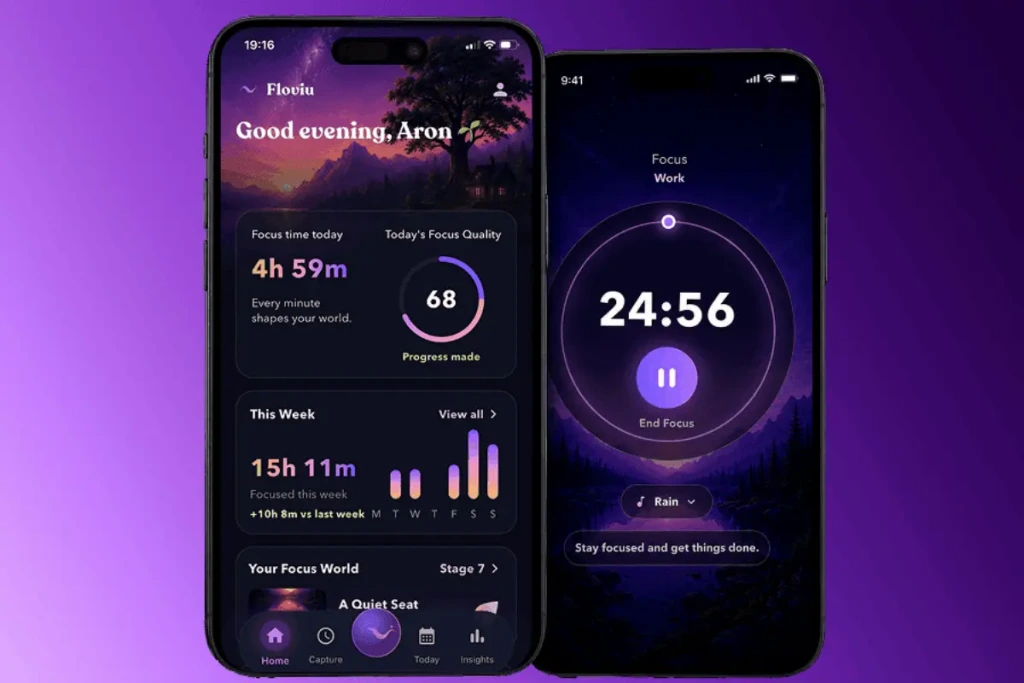
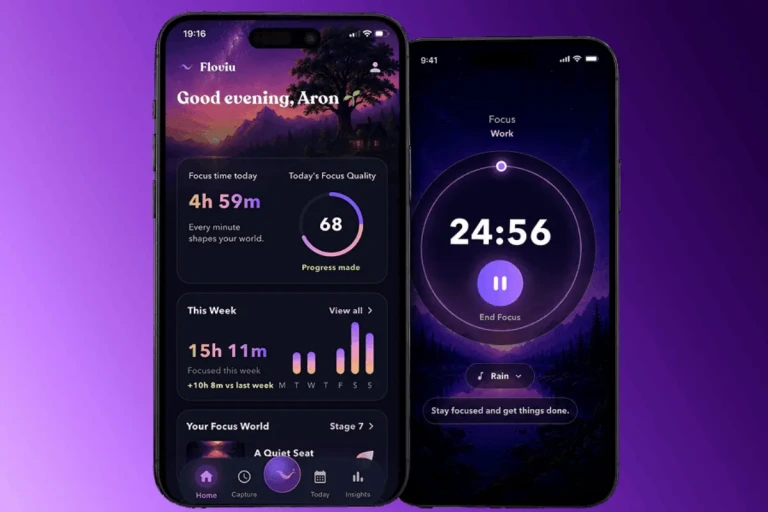
Compared to Opal, Floviu offers more analytics to understand how you mind works and figure out how to create the right environment for focusing with calming soundscapes, focus sessions, and app blocking.
If your main goal is to reduce screen time and prevent yourself from opening distracting apps, Opal is a pricey, but efficient solution. However, if you want to build lasting focus habits, understand how you focus best, and turn every focus session into meaningful progress, Floviu worths a shot.
A detailed breakdown to choose which one fits better👉Floviu vs Opal
Would I Recommend Opal?
Opal is a capable solution to control and monitor your screen time. Nonetheless, the limited free tier and pricey pricing plans make it hard to recommend.
For me, the main issue isn’t the price itself; I believe a handful of additional features could justify it. But with the current feature set, especially since most functions are available for free with Apple’s built-in system, Opal is simply overpriced.
Frequently Asked Questions
Can the Opal app be trusted?
Yes, Opal is a safe and legitimate app although there were a few comments about shady tactics to subscribe one of the paid plans.
How much does the Opal app cost?
The yearly plan costs $99.99 annually, while the monthly is $19.99, and the lifetime deal is $399.
Is Opal actually a good app?
Based on Opal’s data, Opal users save an average of 1 hour and 23 minutes daily. Does it a good app? Absolutely.
Would I pay for ot? No way.
After testing it, Opal’s value proposition did not justify the price they charge for screen time contol.
In this article
- What Opal actually is
- The Best Parts of Opal
- The Biggest Drawbacks of Opal
- What’s Using Opal’s Screen Blocking Like?
- Opal Key Features: What You Actually Get
- Rules
- Blocking apps
- Timer
- Meditations & Sleep stories
- Soundscapes
- Opal Score
- Opal Pricing 2026
- Who Should Use Opal?
- What Do Real Everyday Users Think of Opal app?
- Top Opal alternatives
- A free alternative to Opal: Floviu
- Would I Recommend Opal?
- Frequently Asked Questions
- Can the Opal app be trusted?
- How much does the Opal app cost?
- Is Opal actually a good app?