


Aron Kantor
Founder

Share the article
Enjoy this article?
Share it with someone who needs better focus.


TL;DR
- Choose Forest if: You want a simple Pomodoro timer where gamification and growing a virtual forest make your focus sessions feel more rewarding.
- Skip Forest if: You need stronger app blocking, flexible/open-ended focus sessions, or deeper insights into how you focus.
- Bottom line: Forest made focusing more enjoyable and helped me stay motivated, but the limited free plan, microtransactions, blocking gaps, and gamification fatigue kept me from sticking with it long term.
In this Forest app review, I wanted to find out whether growing virtual trees actually helps you stay focused, or if it’s just an extra feature.
Long story short, it helped me stay motivated longer. But I also found a few limitations that make it less effective as a complete focus app.
What is Forest?
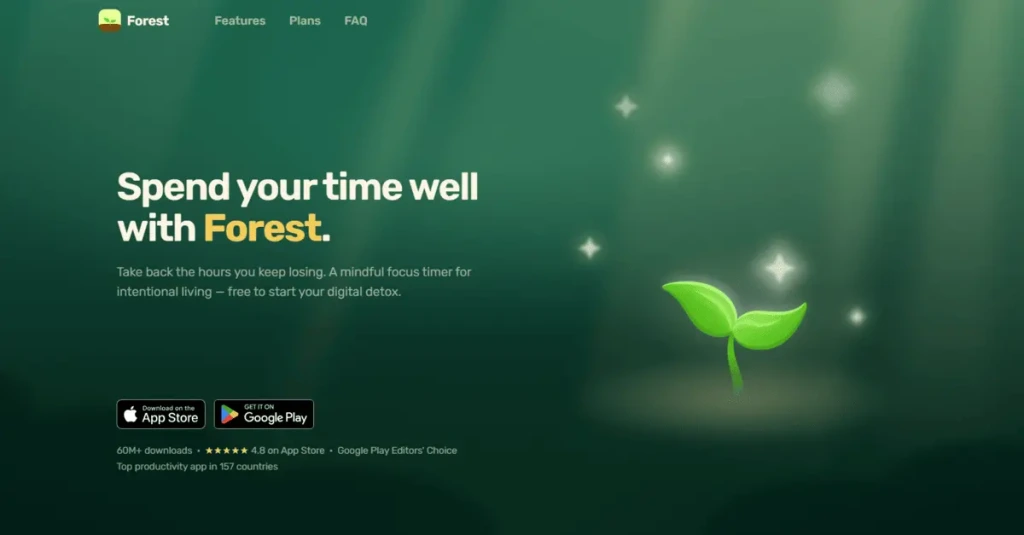
Forest is a focus app for mobile that you can download from the App Store and Play Store. Unlike most traditional focus apps, it tries to keep you motivated by growing a virtual forest and completing focus challenges.
Forest has over 60 million downloads worldwide, and its team has planted over 2 million real trees since 2014.
What I Loved About Forest And What Didn’t Work for Me
Below, I break down how Forest helped me improve my focus and cut down the time I spent scrolling social media, as well as the challenges I faced.
Where Forest Worked for Me (And Other Users)
Before writing this Forest review, I checked quite a few forums to understand why people keep using the app. These are the areas where my experience matched what other users were saying.
Growing a Forest Creates Visible Progress and Reward
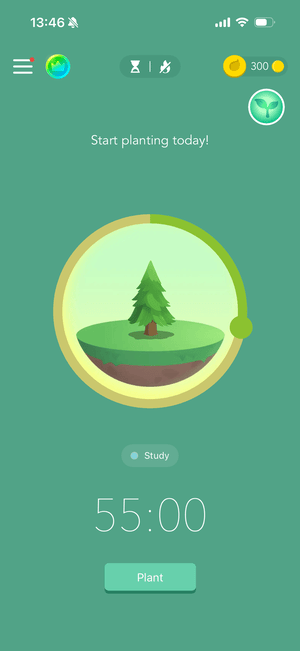
Everyone’s mind works differently, but for me, seeing a tree grow makes Forest feel like more than just a timer.
Before starting a session, you can choose from different tree species based on what you want to grow and add a tag to organize your focused time.
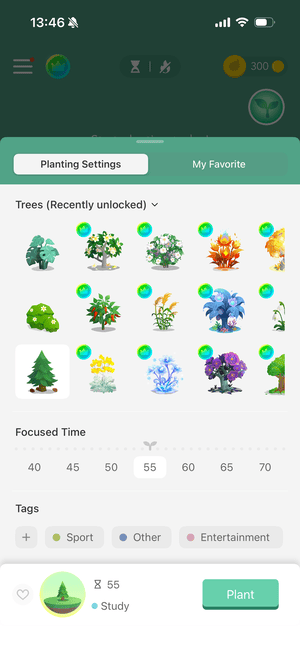
As you spend more time focusing, the tree grows, and you can check your planted trees for today, a week, a month, or a year.
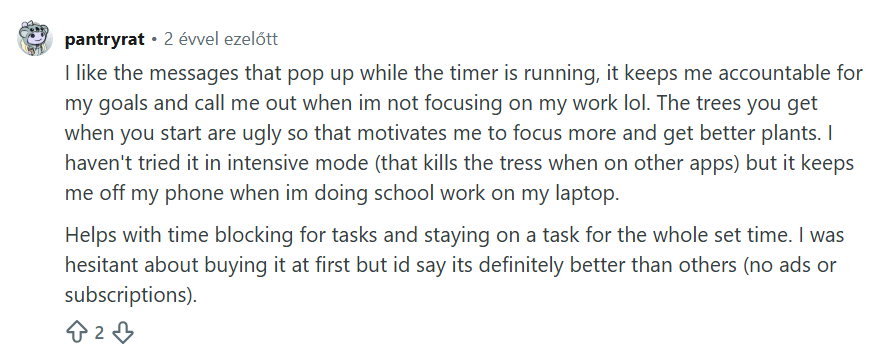
At first, it sounds like a cute little feature. But I found that it actually makes focusing feel more rewarding. Instead of finishing a session and feeling like all that effort disappears, you have something visual to show for it.
Personally, this little psychological trick worked surprisingly well for me, and based on the Reddit thread above, it worked for others as well.

Use different tree species and tags for different types of work. Over time, your forest becomes more than visual progress and you can quickly see what you’ve been spending your focused time on.
Simple Pomodoro Experience
Forest gets the point that people don’t need complex timers and focus sessions, but a place where they can easily get started. You only need to select the time limit, tree species, and tags, and you are good to go.
You can also use ambient sounds during focus sessions, but only one soundscape is included in the free version.
If growing the same trees starts to feel repetitive, switch between tree species based on the type of work you’re doing. It gives your forest more variety and makes it easier to associate certain trees with specific activities.
Tags
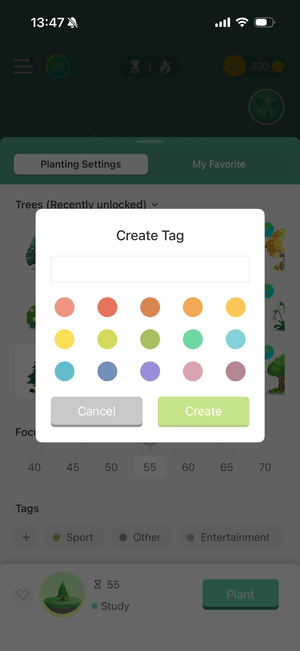
Many focus apps lack tags or a system for categorizing your time. Maybe it’s just me, but I want to see what I spent my time on each day, so I think this is a must-have feature.
You can create custom tags with colors, and start tracking them with the Pomodoro timer. You can assign them quickly, and I felt the whole process, from starting a timer and selecting a tag to completing a focus session, was beginner-friendly.
Mindful Space
Forest’s mindful break is a nice addition for relaxing, decompressing, and resetting your mind between focus sessions. You can use simple breathing exercises to slow down and prepare for your next session.
When testing Forest, I found this especially helpful for breaking the usual rhythm of starting and completing focus sessions over and over again.
Instead of jumping straight into another timer, it encouraged me to slow down and recharge for a moment.
Plant Real Trees For the Future
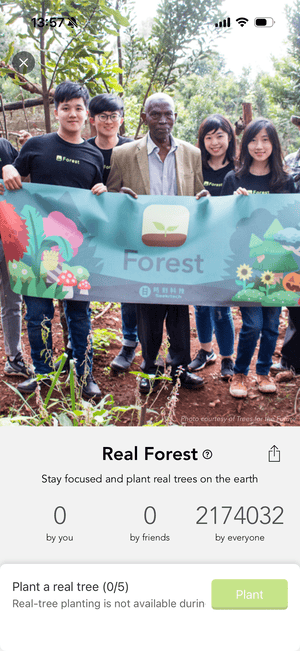
Through Forest, you can also contribute to planting real trees, which is a great way to connect your focused time with something meaningful in the real world.
As you stay focused, you can earn virtual coins and use them toward real-tree planting. I really like this idea because your progress doesn’t have to stay entirely within the app—it can also help make the world a little greener.
What Didn’t Work So Well for Me (And Other Users)
Microtransactions & Limited Free Version
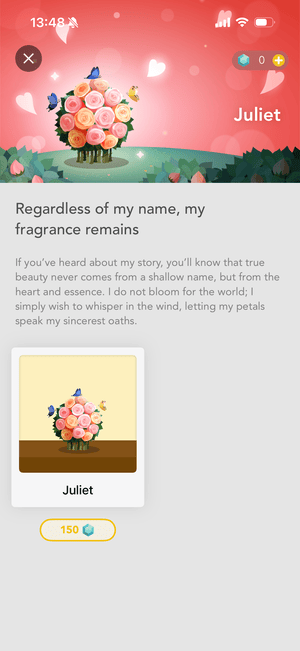
I am not a fan of microtransactions, and Forest includes quite a lot of them. To access exclusive tree types, you need to buy coins even if you paid for the Plus plan.
Furthermore, I think soundscapes are core parts of a focus app, which should be available for free. However, Forest forces you to upgrade if you want to use any soundscapes other than the basic one.
Also, you can block only one app or website with the free app. People are tempted to scroll on several distracting apps, from TikTok to Instagram, during focus hours. Blocking only one app will have no impact on people’s phone usage, since they will simply use another app.
Soft Blocking Leak
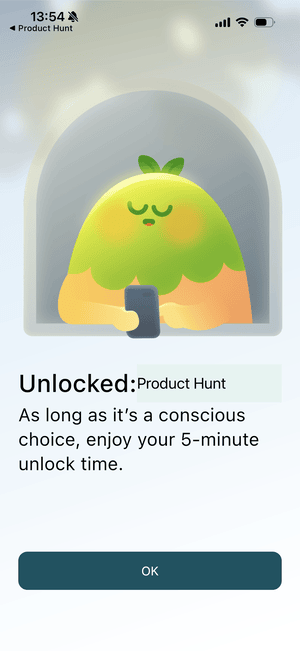

After bypassing Forest’s blocking screen, I could return to the distracting app for almost five minutes without being interrupted again. For someone prone to doomscrolling, that’s a surprisingly large window to fall back into scrolling.
After you choose to continue to an app that Forest has blocked, the app remains unblocked for around 4 minutes and 50 seconds after your last use. I found this window too long, as it gives you plenty of time to return to the distracting app without seeing Forest’s blocking screen again.
This is partly an iOS limitation rather than simply a problem with Forest. iOS has strict rules around app blocking, and focus apps like Forest or Floviu can’t always detect the exact moment you leave another app.
Instead, they may need to rely on usage thresholds to determine when protection should kick in again.
So, I wouldn’t blame Forest entirely for this limitation. However, there is still a product choice involved: Forest could use a stricter blocking approach to close this gap (like we did with Floviu), even if that means a stricter approach.
For me, the current implementation leaves a little too much room to slip back into scrolling.
Too Much Gamification
When using Forest, I had similar feelings when testing Finch: too much gamification.
While these elements can make the app more engaging at first, I eventually experienced a kind of gamification fatigue, where growing my virtual forest started to feel more like a chore than a reward.
The same feature that initially made Forest more motivating eventually became one of the reasons I enjoyed it less. Once growing another tree started feeling expected rather than rewarding, the motivational effect became much weaker.
No Open Focus Timer or Breaks
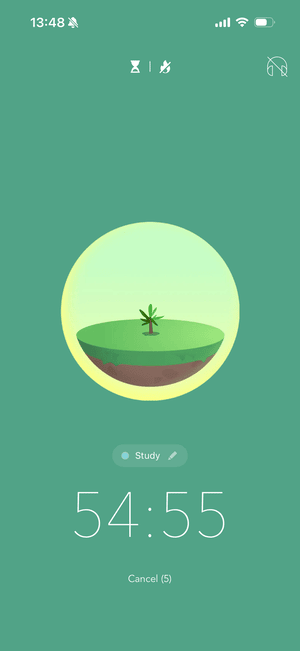
This is a minor issue, and it mostly comes down to how I personally like to focus. When I use Floviu, I usually don’t decide in advance when a session should end. I simply start the timer, select a tag and soundscape, and get into deep focus.
With Forest, you need to choose how long you want to focus before starting a session. For tasks where I have no idea whether they’ll take 30 minutes or two hours, this creates an unnecessary decision before I start the work.
It might sound like a small thing, but over time, these little decisions can add up and create decision fatigue, especially when I just want to start working.
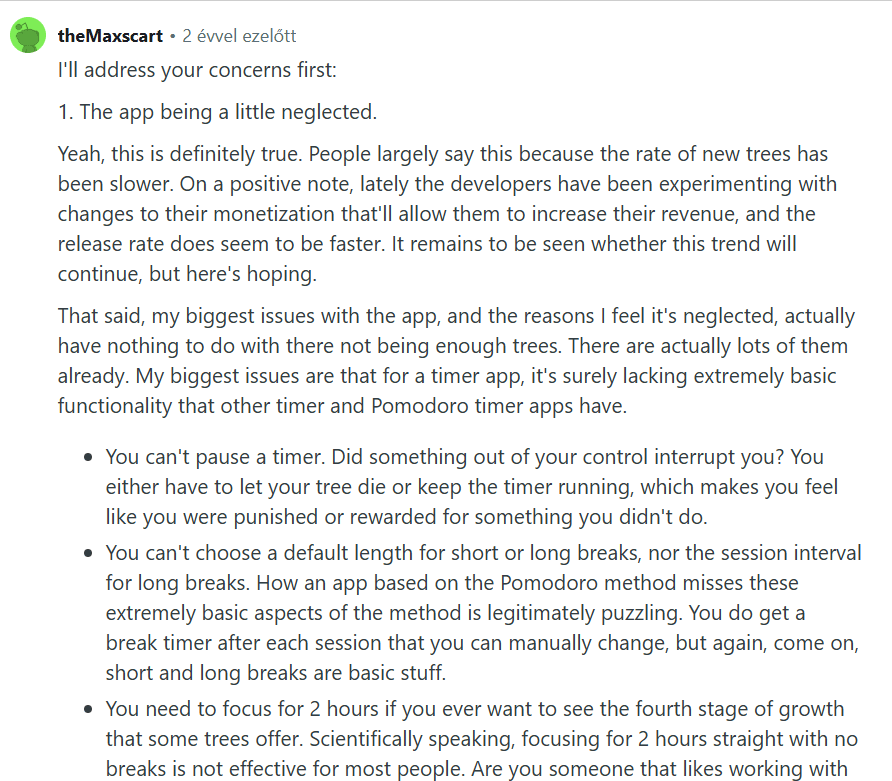
As theMaxscart highlights on Reddit, the default length is not only an issue for the focus sessions, but also for the breaks. Although I did not have an issue with the breaks, Forest’s Pomodoro method is not for everyone.
Analytics
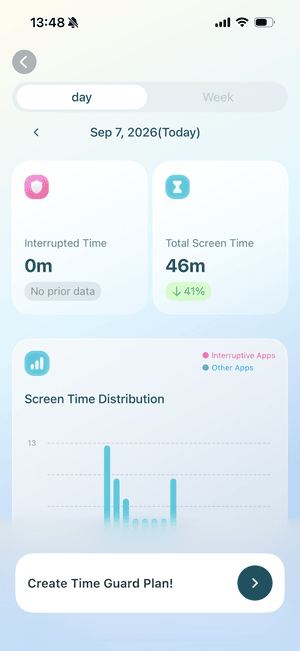
Forest’s analytics are pretty basic and don’t offer significantly more than Apple’s built-in Screen Time feature. You can see your total screen time, interrupted time, most-used apps, and screen-time distribution.
My problem is simple: the data tells you what happened, but not why it happened or what to do differently. There isn’t enough depth to draw meaningful conclusions about your focus patterns or understand how you could improve them.
Forest is much better at showing how much I focused than explaining why some sessions went better than others. Most of the analytics felt more like tracking than actual guidance.
Forest Features: My Ratings
| Feature | Grade | Key Takeaway |
| Pomodoro Timer | B | It’s simple to get started, with plenty of tree species to choose from and custom tags to organize your sessions. However, I missed the option to start an open-ended focus session without choosing a duration beforehand. |
| App Blocking | C | You can only block one app with the free version. Also, after bypassing a block, it takes almost five minutes of inactivity for Forest to block the app again. If you reopen the app during that window, the timer resets, leaving too much exposure to distracting apps for people struggling with phone addiction. |
| Focus Sounds | C+ | I enjoyed Forest’s focus sounds overall. However, I consider soundscapes a core feature of a focus app, so I think they should be more accessible on the free plan. Limiting free users to just one focus sound feels too restrictive to me. |
| Mindful Space | A- | A nice addition for Forest users who want to relax, reset, and decompress between focus sessions. Unfortunately, only one soundscape is available on the free plan here as well. |
| Growing Virtual Forest | A+ | A really cool idea that turns your focused time into something you can actually see. Watching your forest grow makes each session feel more rewarding and gives you a sense of progress instead of simply finishing a timer and starting over. It was easily one of my favorite parts of Forest. |
| Focus Analytics | D- | Forest’s focus analytics show your total screen time, interrupted time, most-used apps, and screen-time distribution. However, I didn’t find the insights particularly useful, as they don’t provide much more information than Apple’s built-in Screen Time feature. |
Is the Forest app free or paid?
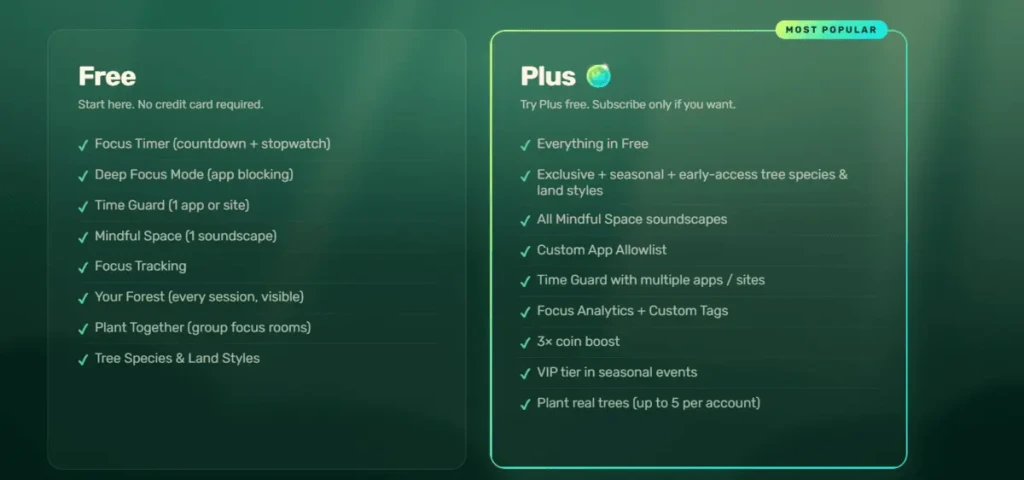
Forest doesn’t have transparent pricing plans. First of all, you can’t find the prices on the website. Secondly, when I upgraded, I used early-bird access and didn’t have a chance to check the regular prices.
Promotional or early-bird rates cost about $5.99 per month or $35.99 per year, while standard pricing can reach up to $59.99 per year.
With the Plus plan, you will access custom app allowlists, multi-app time guard, focus analytics, and 3x coin boost.
Overall, the pricing is fair for me, but the microtransactions and non-transparent pricing model make it harder to commit.
Forest’s paid plan doesn’t necessarily unlock everything. Some exclusive trees still require additional coins, so keep the microtransactions in mind when deciding whether the upgrade is worth it.
Looking for a Forest Alternative?
| Focus app | Best for | Starting price (annual plan) |
| Floviu | A complete focus app for deep work | Free includes soft blocking, yearly plan is $69.99 |
| Opal | Strict screen-time blocking | $99.99 yearly |
| one sec | Breaking automatic app-opening habits | $19.99 per year |
| Freedom | Strict website blocking across multiple devices. | $19.99 per year |
| Focus To-Do | Pomodoro + task management | Free, $11.99 lifetime license |
| Cold Turkey | Strict PC blocking | One-time payment of roughly $45 |
| ScreenZen | Free screen-time reduction | Free |
A Different Approach to Gamified Focus: Floviu
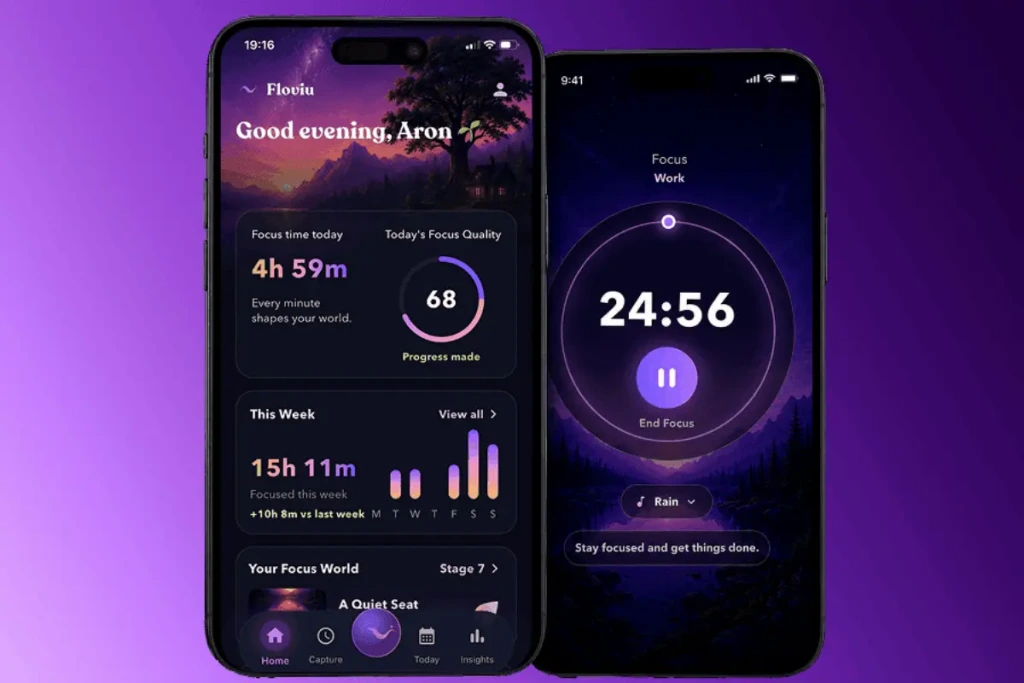
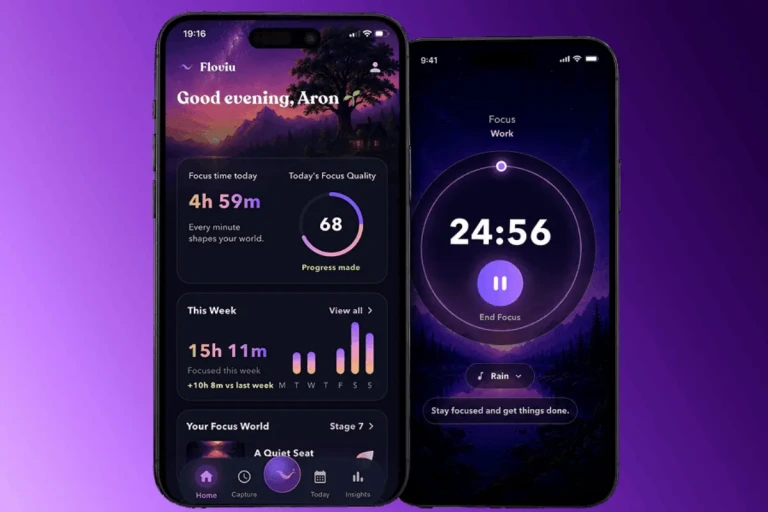
Floviu offers more in-depth analytics and a more extensive free version that includes all soundscapes and multi-app blocking during focus sessions. Its analytics go beyond screen-time data, helping you discover when you focus best, what distracts you, and what your best sessions have in common.
Over time, these patterns help you understand why some days feel effortless and build more repeatable focus habits.
A more detailed breakdown if you consider whether to give a try to Forest or Floviu👉Floviu vs Forest
My Final Take on Forest
I really like the philosophy that you can support real tree planting by focusing on and using Forest. No one can take that away from Forest.
My experience overall was positive, and Forest worked best for me as a simple, rewarding focus timer.
Growing trees, using tags, and seeing visible progress made focusing more enjoyable and helped me to stick with it longer. However, the limited free plan, microtransactions, blocking gaps, lack of an open timer, and eventually the heavy gamification kept it from becoming a focus app I’d use long-term.
Frequently Asked Questions
Is the Forest app actually good?
Forest offers a simple solution for iOS and Android users who need digital detox and a focus timer. Growing trees helped me use Forest longer, but the lack of consistent app blocking on iOS and in-depth focus analytics makes it less appealing for some users.
Is Forest a trustworthy app?
Yes, the Forest app is safe and complies with the necessary rules. Also, I didn’t find any privacy complaints.
The only thing that made it harder for me to trust is the lack of transparent pricing. Forest doesn’t provide clear information on its website, and the pricing varies by platform, region, and whether you choose a one-time purchase or newer subscription options.
Can you use Forest for free?
Yes, Forest has a free tier. The main limitations are that you can access only one soundscape and block only one app.
In this article
- What is Forest?
- What I Loved About Forest And What Didn’t Work for Me
- Where Forest Worked for Me (And Other Users)
- What Didn’t Work So Well for Me (And Other Users)
- Forest Features: My Ratings
- Is the Forest app free or paid?
- Looking for a Forest Alternative?
- A Different Approach to Gamified Focus: Floviu
- My Final Take on Forest
- Frequently Asked Questions
- Is the Forest app actually good?
- Is Forest a trustworthy app?
- Can you use Forest for free?