


Aron Kantor
Founder

Share the article
Enjoy this article?
Share it with someone who needs better focus.


TL;DR
- Best for: Flexible app blocking on mobile & computer.
- Not great for: Building deeper focus habits or understanding your distraction patterns.
- Verdict: one sec is a flexible app blocker, but the complicated setup for interventions and lack of deeper focus features made it difficult for me to stick with long term.
My one sec review turned out to be a bit contradictory. On one hand, I found it to be one of the most flexible app blockers I’ve tested.
On the other hand, despite its flexibility, the user experience is far from flawless. Setting up my first interventions took me more than 15 minutes, and while it helped me block distracting apps, I didn’t feel motivated to stick with one sec for more than a few days.
I recommend one sec to those looking for a flexible app blocker. However, if you want more than just treating the symptoms and actually want to understand why you get distracted and build better focus habits, there are better options.
What is one sec?
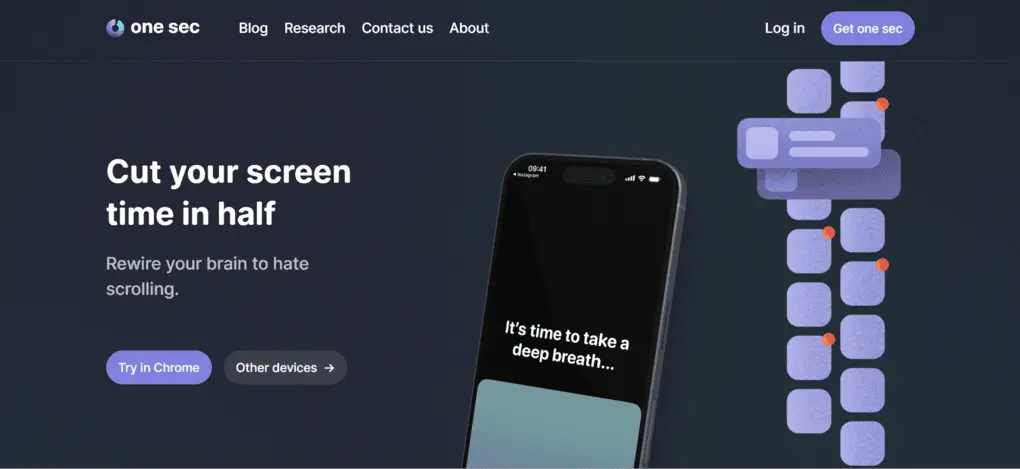
one sec is a digital wellbeing and screen-time app that interrupts you with a short breathing exercise whenever you open distracting apps like Instagram, TikTok, or Facebook.
You can set up strict block or soft block schedules, or add interventions to stop you from scrolling. one sec users reported a 40% reduction in screen time after two weeks, which seems impressive.
What I liked about one sec
Here are the things that stood out to me when using one sec app for reducing my social media usage:
- Blocks websites as well: one sec isn’t limited to mobile apps; you can also use it to block distracting websites.
- Flexible blocking: You can choose between strict and soft blocking schedules. With strict blocking, you can’t override the block for the selected apps.
- Flexible interventions: You can set interventions to appear immediately, after a delay, or every time you open an app. They take some time to set up, but once configured, they work almost like automations.
- Affordable pricing: Compared to many other app blockers (Opal,for example), one sec offers relatively affordable plans.
Where one sec fell short
These are the negatives I noticed during my one sec review:
- Long setup process: Adding apps, websites, schedules, and interventions involves quite a few steps, especially when setting everything up for the first time.
- Time-saved metric isn’t personalized: It uses a general estimate rather than measuring your actual reduction in screen time.
- Intervention fatigue: Seeing the same pause screen repeatedly can reduce its psychological impact over time, especially if you get used to simply clicking through it.
- No focus soundscapes: There are no built-in soundscapes to help create an environment for focused work.
- Limited focus insights: one sec feels more like a tool for treating the symptoms of distraction than understanding the patterns behind them. It doesn’t help you discover your optimal focus setup, when you focus best, or what helps you stay focused longer.
- Android experience: I also found Reddit users reporting that the Android version can be buggy and that some features are more limited compared with iOS.
My honest experience with one sec
Let me break down my whole journey with one sec from day one.
Day 1: Setting up one sec was harder than I expected
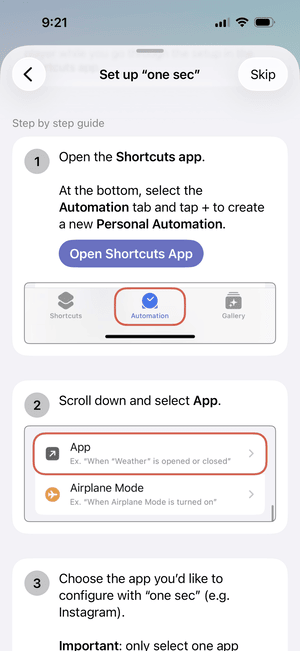
I immediately bumped into one of the biggest drawbacks of one sec. Adding apps, websites, schedules, and interventions takes quite a few steps. Personally, setting up my first intervention took around 10–15 minutes before I fully understood the process.
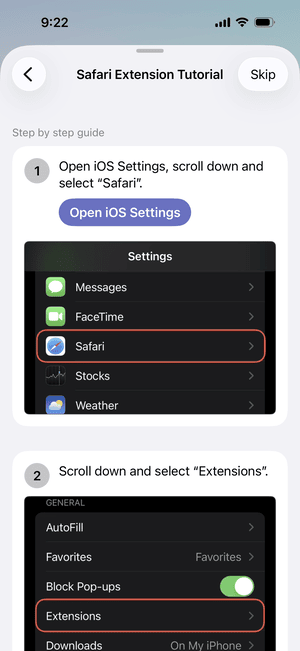
For shortcuts and automations, one sec relies on Apple’s built-in iOS Shortcuts system. I understand that this is partly due to technical limitations, but it still makes the setup feel more complicated than I expected from a paid app.

Tip: Start with just one distracting app. Instead of setting up interventions for every social media app at once, test one sec with the app you open most often first. Once you find an intervention that works for you, you can apply the same setup to your other distracting apps.
I’m also not a huge fan of its time-saved metric, as it relies on a general estimate rather than measuring your actual reduction in screen time.
Day 2–3: What worked well
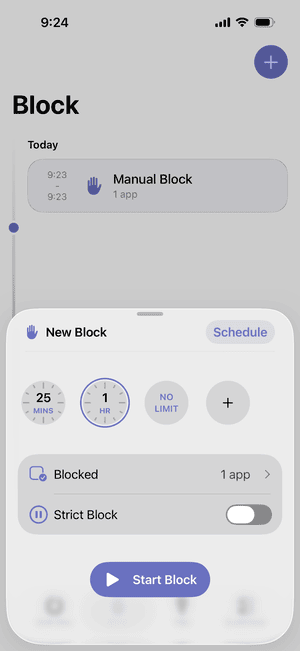
I tested one sec on my iOS device, and it worked well when my main goal was stopping myself from automatically opening social media apps.
What I like most is the flexibility. You can use strict blocking, where you can’t override the block, or softer approaches that add friction without completely locking you out.
Tip: Don’t start with the strictest blocking mode. If your goal is to break automatic scrolling rather than completely lock yourself out, try one sec’s softer interventions first and only use strict blocking during periods when you really don’t want access to distracting apps.
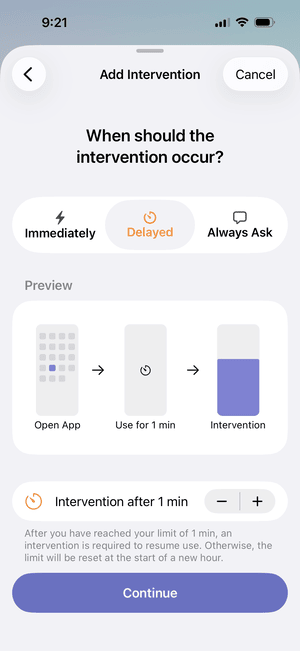
You can also create interventions that trigger immediately, after a delay, or every time you open an app. Once configured, they work almost like automations to interrupt unconscious app-opening habits.
And unlike many mobile blockers, one sec can block websites as well, so it’s an all-around blocker for mobile.
After Day 3: Why I didn’t stick with one sec
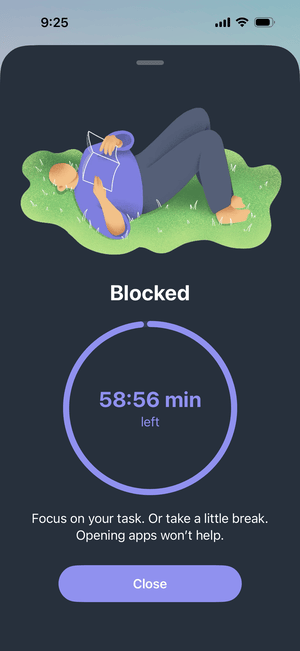
After a few days, I disabled one sec and eventually forgot it was even on my phone. The reason was simple.
It helped me open distracting apps less often, but it didn’t really help me improve my focus itself. I had no insight into why I was getting distracted, when I focused best, or what could help me stay focused longer.
So, while one sec helped me block particular apps, it didn’t change how I approached focus. To me, it felt more like treating the symptoms rather than addressing the reasons behind them.
That’s fine as a short-term solution, but I don’t think it necessarily brings you closer to becoming more focused in the long run. And sooner or later, you will return to negative scrolling habits.
And I wasn’t the only one who experienced this. While browsing Reddit, I found a one sec user who had purchased the lifetime plan and described a very similar pattern:
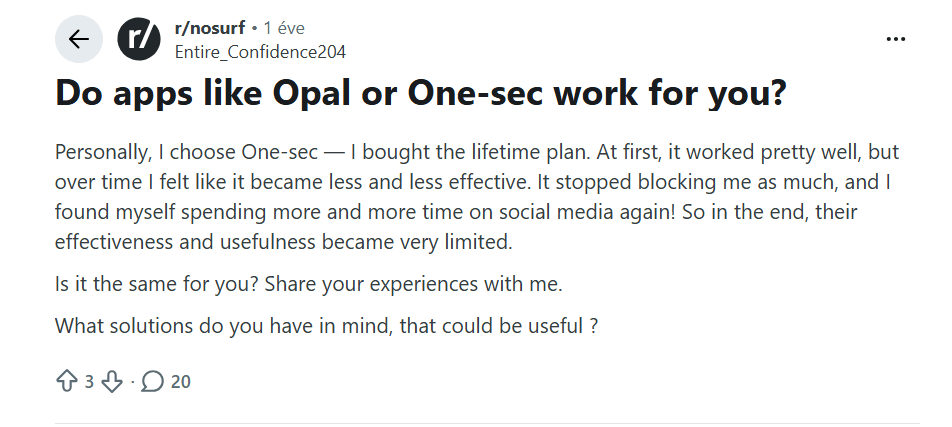
“At first, it worked pretty well, but over time I felt like it became less and less effective.” – Entire_Confidence204
The user explained that they gradually stopped blocking themselves as much and eventually started spending more time on social media again.
one sec features: my ratings
| Feature | My Grade | My Take |
| Focus Sessions | B+ | Flexible blocking with both strict and soft block schedules. Strict blocks can’t be overridden, while you can also block websites and schedule when blocking is active. Intervention fatigue can be an issue over time, as repeatedly seeing and clicking through the same pause screen can reduce its psychological impact. |
| Interventions | C | Three flexible approaches: immediate, delayed, and always ask that work almost like automations. Useful once configured, but setup takes too long and uses Apple’s built-in iOS system that’s free. |
| Cross-Device Support | A | Besides its mobile apps, one sec also offers a browser extension, allowing you to block distracting websites on your computer. |
| Focus Features | F | one sec is primarily a screen-time app designed to reduce endless scrolling and phone addiction. If you’re looking for a focus timer, soundscapes, insights into your focus patterns, or tools that help you understand how to stay focused, One Sec is very limited. |
one sec pricing: Is it worth it?
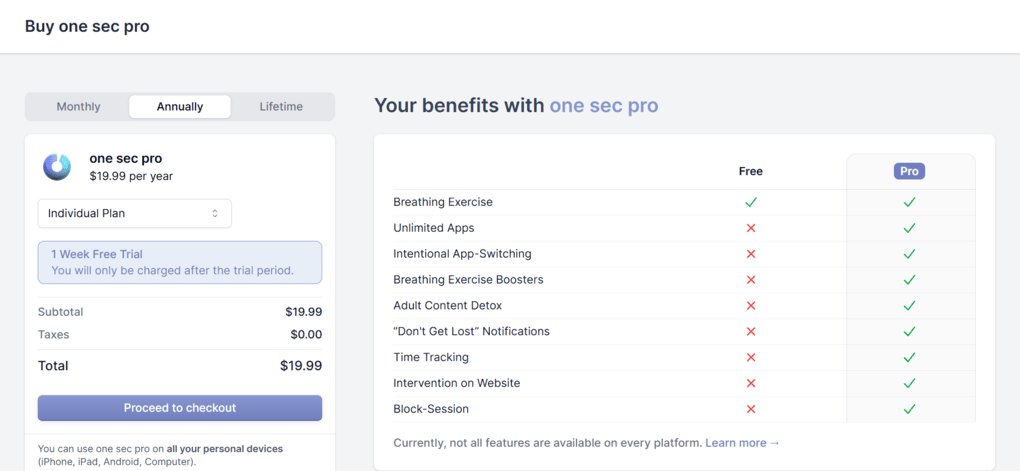
one sec Pro is $3.99 per month, billed monthly. The annual plan is $19.99, and the lifetime plan is $99.99.
The annual and monthly plans are reasonably priced compared to competitors, but the lifetime license feels overpriced to me.
The free app allows you to use the mindful breathing pause for only one app of your choice, and that’s pretty much it. So, if you plan to use one sec regularly, the free version is quite limited.
Best One Sec alternatives
| Focus app | Best for | Starting price (annual plan) |
| Floviu | A complete focus app for deep work | Free includes soft blocking, yearly plan is $69.99 |
| Opal | Strict screen-time blocking | $99.99 yearly |
| Freedom | Strict website blocking across multiple devices. | $19.99 per year |
| Forest | Students or users need gamified Pomodoro sessions | Free, $3.99 one-time purchase |
| Focus To-Do | Pomodoro + task management | Free, $11.99 lifetime license |
| Cold Turkey | Strict PC blocking | One-time payment of roughly $45 |
| ScreenZen | Free screen-time reduction | Free |
An alternative approach to one sec: Floviu
one sec is a practical choice to put friction between you and addictive apps. Its flexible interventions and blocking options can make mindlessly opening social media much harder, although how long they remain effective will be different from person to person.
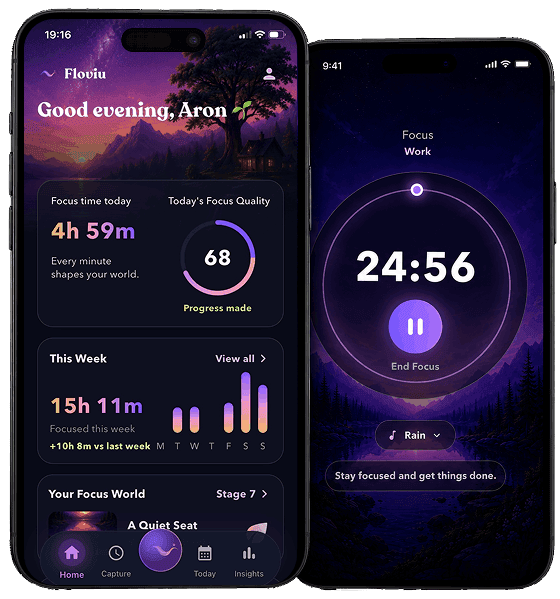
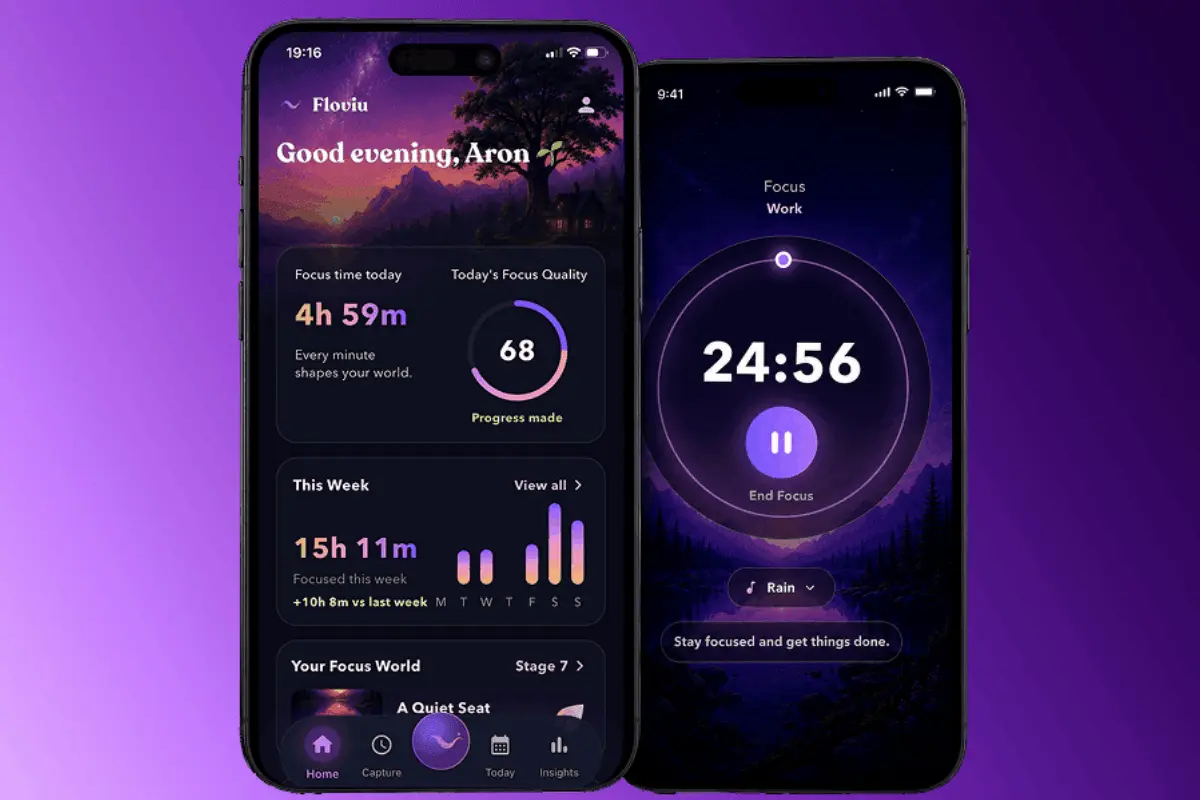
Floviu combines app blocking with focus sessions and soundscapes to help you get into focus, then uses personalized insights to help you understand when and how you focus best. Your Focus World turns completed sessions into visible progress, giving you another reason to keep coming back.
So, instead of only helping you scroll less, Floviu is designed to help you understand your distractions and gradually become better at staying focused.
My final take on one sec
After a rough start with setting up the interventions using its iOS app, one sec started to help me spend less time on Instagram and TikTok. However, after a few days, it became less and less effective for me.
While one sec helped me block distracting apps, it didn’t really help me focus better or ultimately become more productive. I missed support for features like a focus timer, soundscapes, and personalized insights that show what worked well and where I could improve based on my recent focus patterns.
For me, the journey starts with blocking distracting apps, but it shouldn’t end there. Some additional guidance and tools to help me actually stay focused would make one sec a more complete solution for fighting doomscrolling and building better focus habits.
Frequently Asked Questions
Is the one sec app safe to use?
Yes, based on my research, it is a safe app. According to one sec’s privacy policy, your personal data remains on your device unless you choose to share it.
Does one sec cost money?
Since one sec has a limited free version, you need to upgrade to block more than one app. one sec pro is $3.99 per month with the monthly billing. If you purchase the annual plan, it costs $19.99, while the lifetime plan is $99.99.
Is Opal or one sec better?
Opal offers more analytical data and makes it harder to bypass its blocking. However, it comes with a premium price. one sec is a more budget-friendly solution that offers gentler nudges instead of rigid blocking.
In this article
- What is one sec?
- What I liked about one sec
- Where one sec fell short
- My honest experience with one sec
- Day 1: Setting up one sec was harder than I expected
- Day 2–3: What worked well
- After Day 3: Why I didn’t stick with one sec
- one sec features: my ratings
- one sec pricing: Is it worth it?
- Best One Sec alternatives
- An alternative approach to one sec: Floviu
- My final take on one sec
- Frequently Asked Questions
- Is the one sec app safe to use?
- Does one sec cost money?
- Is Opal or one sec better?